Ink Brands
 Black vs Tri-Colour Cartridges for Home Printing
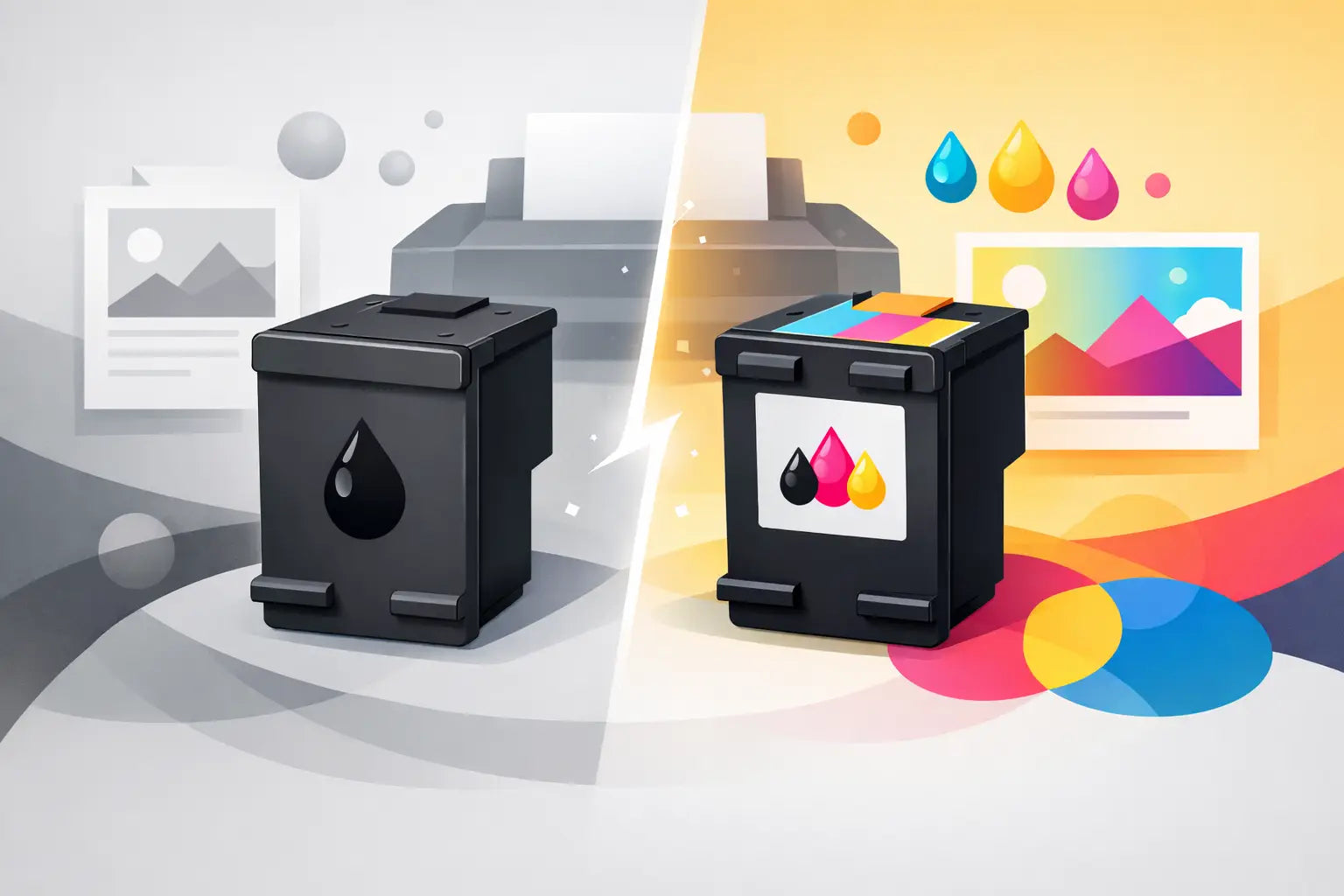
A printer can stop working even when it looks as though there is plenty of ink left. That is the frustration behind the choice between black vs tri-colour cartridges. If your printer uses a tri-colour cartridge and one colour runs out, you may need to replace the whole cartridge - including any cyan, magenta or yellow ink still inside.
For occasional home printing, that design can be simple and convenient. For families printing schoolwork, home offices producing documents, or small businesses keeping paperwork moving, separate colour cartridges can offer better control over running costs. The right choice depends on what you print, how often you print, and the cartridge system your printer was built to use.
What is a black cartridge?
A black cartridge contains black ink only. In many inkjet printers, it sits alongside either a tri-colour cartridge or three separate colour cartridges. It is used for text documents, forms, invoices, labels and any other printing where black is the main colour.
Black ink usually runs out faster than colour ink in homes and offices because so much day-to-day printing is text-based. A dedicated black cartridge is useful because you can replace just the black when it is empty, rather than buying colour ink you do not yet need.
Some printers use two types of black ink. Pigment black is commonly used for crisp, durable text on plain paper, while dye black may be used in photo printing for smoother tones. Your printer model determines which cartridge you need, so always check compatibility rather than choosing a cartridge by appearance alone.
What is a tri-colour cartridge?
A tri-colour cartridge combines cyan, magenta and yellow ink in one unit. These three colours mix in different amounts to create most of the colours you see in graphics, photos, worksheets and presentation materials.
A tri-colour cartridge has separate internal chambers, but it is still replaced as one cartridge. If yellow is depleted after printing a stack of bright school posters, the cartridge may need replacing even if cyan and magenta remain. The printer generally cannot swap or refill one colour chamber independently.
This is a common setup in entry-level home inkjet printers. It keeps cartridge installation straightforward: fit one black cartridge and one colour cartridge, then start printing. There are fewer individual cartridges to identify and install, which suits people who print occasionally and prefer simplicity.
Black vs tri-colour cartridges: the practical difference
The biggest difference is not print quality. Both systems can produce sharp documents and colourful images when paired with the right printer and suitable paper. The difference is how efficiently you replace ink.
With a black and tri-colour setup, black ink can be replaced separately, but cyan, magenta and yellow are tied together. This can be economical if you use colour evenly or print only now and then. It can be less economical when one colour is used much more heavily than the others.
Separate colour cartridge systems use individual cyan, magenta and yellow cartridges alongside black. When cyan runs low, you replace cyan only. This gives frequent colour printers more flexibility and can reduce wasted ink over time. The trade-off is that there are more cartridges to keep track of, and the printer may have a higher upfront price.
It is also worth remembering that printer firmware and cartridge design can affect what happens when a colour runs out. Some printers will not continue printing black-only documents if a colour cartridge is empty. Others may allow limited black printing. Check your printer manual or display message before assuming you can keep printing.
A simple example of cartridge waste
Imagine you print mostly documents but occasionally create colourful labels. Over several months, the labels use far more yellow than cyan or magenta. With a tri-colour cartridge, a low-yellow warning can mean replacing the entire colour cartridge. Any remaining cyan and magenta ink is effectively unavailable once the old cartridge is removed.
With separate cartridges, you would replace the yellow cartridge only. That does not automatically make separate cartridges cheaper for every household, but it can make a noticeable difference for regular colour printing.
Which cartridge arrangement suits your printing?
A black and tri-colour cartridge arrangement is often a sensible choice for light, uncomplicated printing. It works well when your printing includes occasional forms, boarding passes, recipes, children’s homework and a few colour pages each month. The convenience of only two cartridges may matter more than extracting every last millilitre of ink.
Separate black and colour cartridges are usually better for higher-volume households, remote workers and small offices. If you print colour brochures, classroom resources, product labels, charts or photographs, individual colours are more likely to run down at different rates. Replacing only what is empty gives you greater control.
For businesses, look beyond the cartridge count and consider page yield. A higher-yield cartridge costs more upfront but can lower the cost per page and reduce interruptions. This is particularly useful for black text printing, where high-yield black cartridges can last substantially longer than standard versions.
The best value is not always the cheapest cartridge on the shelf. A low-priced cartridge that runs out quickly, or leaves you replacing unused colours, may cost more over the life of the printer.
Can you use a tri-colour cartridge instead of separate colours?
No. Cartridges are designed for specific printer models and are not interchangeable simply because the ink colours are the same. A printer made for separate cyan, magenta and yellow cartridges needs those individual cartridges. A printer made for a tri-colour cartridge needs the matching combined cartridge.
Trying to force an unsuitable cartridge into a printer can damage the cartridge, the printer carriage or both. Even cartridges that look similar can have different chip configurations, ink formulations or physical shapes.
The safest approach is to search by your exact printer model. The full model name is usually printed on the front, top or control panel of the printer. If you are unsure, check the printer settings on your computer, the original box, or the label at the back of the machine. Choosing by model helps avoid the costly hassle of ordering the wrong item.
Genuine and compatible cartridge options
Whether you need black, tri-colour or individual colour cartridges, you may be able to choose between genuine and compatible options. Genuine cartridges are made by the printer manufacturer. Compatible cartridges are made by a third party to suit a specific printer model.
Genuine cartridges can be a good fit for people who prefer to use the manufacturer’s own supplies or have specialised print requirements. Compatible cartridges appeal to customers looking to reduce ongoing printing costs without buying a new printer. A quality compatible cartridge should be clearly listed for your printer model and offer a practical alternative for everyday documents and colour printing.
The key is to buy from a supplier that makes compatibility clear and stands behind its products. At Inkspot, shoppers can search by printer model and choose from genuine and lower-cost compatible options, making it easier to balance budget, yield and print needs.
How to make either cartridge type last longer
Ink cartridge waste is not only about the cartridge design. Print settings and storage habits also affect how much ink you use. For everyday drafts, school notes and internal office documents, select draft or economy mode where suitable. It uses less ink and is often more than adequate for readable text.
Avoid printing web pages with large coloured backgrounds when you only need the information. Use print preview to remove unnecessary pages and select black and white for documents that do not need colour. For photo printing, use the correct paper and quality setting rather than repeatedly reprinting an image that looks flat or streaky.
If you do not print often, run a small print job every few weeks. This helps keep ink moving through the print head and may reduce the chance of dried nozzles. Keep unopened cartridges sealed in a cool, dry place, away from direct sunlight. Never leave a cartridge sitting out of the printer for long unless its protective clip or packaging is in place.
Know what your printer is telling you
Low-ink warnings are estimates, not always a signal that printing will stop immediately. A cartridge may continue producing acceptable pages for a short period, but it is wise to have a replacement ready if you rely on the printer for work or school.
Do not wait until an urgent document is due before checking supplies. Keeping a spare black cartridge is useful for almost every inkjet owner. If your printer uses a tri-colour cartridge and colour printing is important, keeping a spare colour cartridge can save a last-minute trip and prevent a simple low-ink message from holding up the day.
Before your next replacement, check your printer model, think about which colours you actually use, and compare standard and high-yield options. A few minutes spent choosing the right cartridge system and capacity can make printing far less frustrating.