Ink Brands
 Photo Printing Ink Guide for Better Home Prints
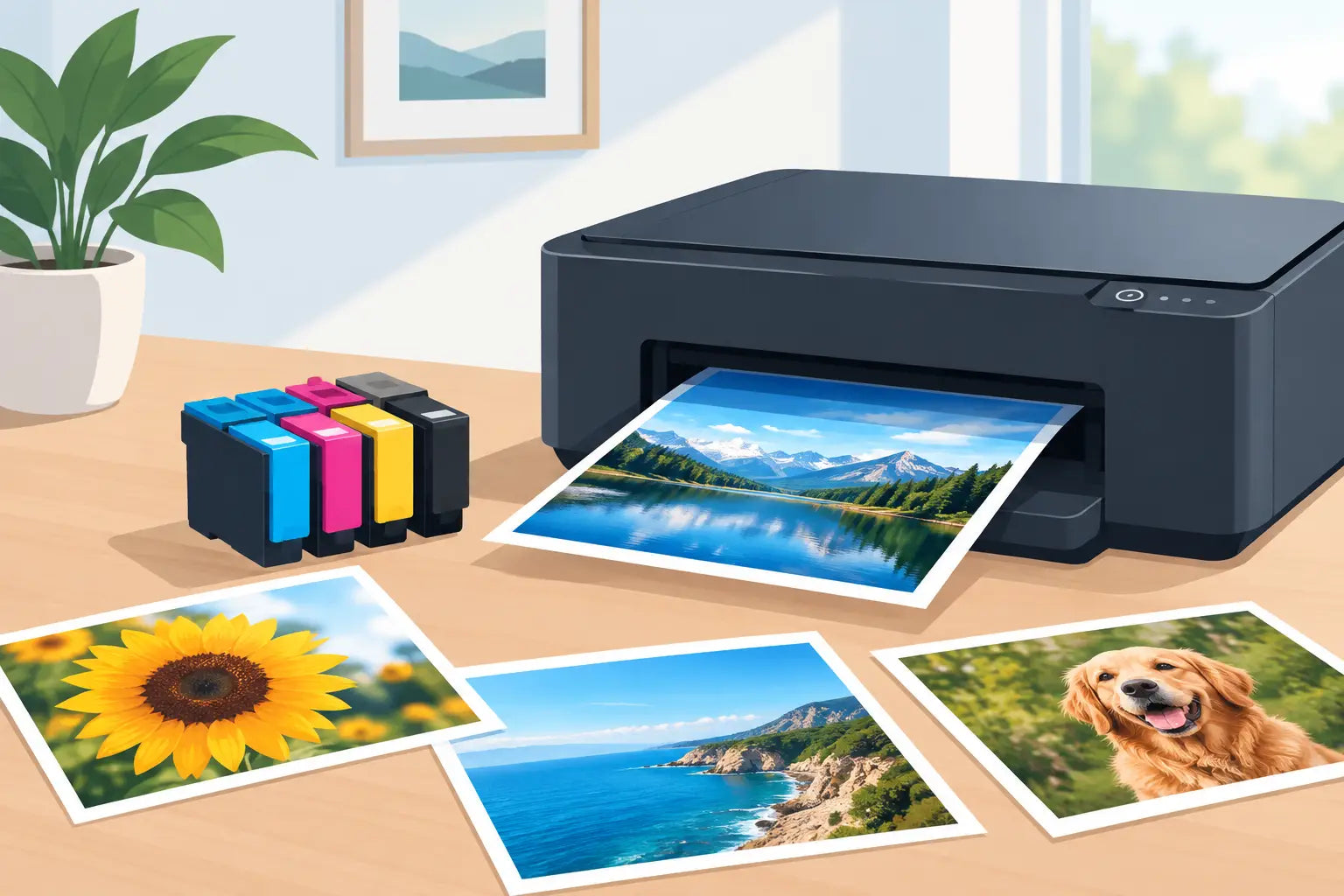
A family photo can look great on a screen, then come out of the printer too dark, too red or strangely dull. This photo printing ink guide explains what actually affects the result, so you can choose cartridges and settings with more confidence - and avoid wasting paper, ink and time.
Start with the printer you already own
The best ink for photo printing is not simply the most expensive cartridge on the shelf. It must be made for your exact printer model. Printers are designed around specific cartridge series, ink formulas and colour systems, so fitting the wrong cartridge can cause recognition errors or poor print quality.
Before ordering, check the printer model on the front of the machine, in its settings menu or on the original cartridge label. Model names can be very similar, particularly across HP, Canon, Epson and Brother ranges. Matching the cartridge number to your printer is the safest approach.
Also consider what your printer was built to do. A compact home all-in-one can produce lovely snapshots on the right paper, but a dedicated photo printer will usually offer better detail and smoother tones. This is often because it uses more inks, such as light cyan, light magenta, grey or a separate photo black.
Dye versus pigment photo printing ink
Most photo printer inks fall into two broad groups: dye-based and pigment-based. Neither is automatically better. The right choice depends on where the print will be displayed and how long you want it to last.
Dye ink: bright colour and glossy results
Dye ink dissolves into the coating of photo paper. It is known for rich colour, smooth gradients and a glossy finish that suits holiday snaps, albums and everyday photo prints. Many affordable home photo printers use dye inks because they can produce vibrant images without making the printer or cartridges excessively costly.
The trade-off is longevity. Dye prints can be more susceptible to fading when exposed to direct sunlight, humidity or airborne pollutants. For photos going into an album, a frame away from windows or a short-term display, this is rarely a problem. For prints intended to hang in a sunny room for years, it may be worth looking at pigment ink options.
Pigment ink: durability and detail
Pigment ink contains tiny solid colour particles that sit closer to the paper surface. It is generally valued for fade resistance, water resistance and sharp detail, especially on matte and fine-art papers. It is a strong choice for framed photographs, professional portfolios and business materials where prints need to stay presentable over time.
Pigment ink can cost more, and results vary by paper type. Some pigment prints may not have the same high-gloss look as dye ink on certain papers. Use paper recommended for pigment printing where possible, particularly if you are printing images for sale or display.
Genuine or compatible cartridges for photos?
Genuine cartridges are made by the printer brand and are the straightforward option for users who want the manufacturer’s intended ink formula. They can be a sensible choice for critical prints, specialist photo printers and situations where matching a familiar result matters most.
Compatible cartridges are made by a third party for use in specific printer models. A quality compatible can offer a meaningful saving for regular printing, including home photos, invitations and school projects. The key is to buy from a reputable supplier that clearly identifies printer compatibility and stands behind its products.
For most everyday photo printing, a reliable compatible cartridge can be a practical way to reduce costs without giving up pleasing colour. If you are producing colour-managed work for clients, replacing a single cartridge in a carefully calibrated professional workflow, or printing archival pieces, genuine inks may be the safer fit. It depends on the printer, paper, expectations and the value of the final print.
At Inkspot, checking your printer model before you buy makes it easier to compare genuine and compatible options without guessing which cartridge fits.
Paper matters as much as the ink
It is easy to blame an ink cartridge when a photo looks disappointing, but paper is often the missing piece. Plain copier paper absorbs ink quickly and unevenly. Colours lose depth, blacks look grey and fine details can soften.
Photo paper has a coated surface designed to hold ink in a controlled way. Glossy paper delivers punchy colour and strong contrast, making it popular for snapshots. Satin, lustre or semi-gloss paper reduces reflections while retaining good colour depth. Matte paper has a softer, non-reflective appearance and can suit portraits, black-and-white images and framed work.
Choose the paper setting in your printer software to match the paper in the tray. That setting controls how much ink the printer lays down and how it handles the image. Selecting plain paper when using glossy photo paper can leave colours looking weak. Selecting a heavy photo setting on ordinary paper can create bleeding, curl and slow drying.
For best results, keep photo paper sealed in its packaging until you need it. Heat, damp conditions and fingerprints on the coated side can all affect the finish. Handle prints by the edges and give them time to dry before stacking or framing them.
Use the right print settings
A high-resolution image deserves more than the default print button. In the print dialogue, select the correct paper size, paper type and quality setting. For treasured photos, choose high or best quality rather than draft. It uses more ink and takes longer, but it generally improves detail and colour transitions.
Check that the image is printing at the intended size. Enlarging a small image too far can produce a soft or pixelated result, regardless of the ink you use. As a rough guide, a photo should have enough pixels for the print dimensions you want. A sharp image on your mobile may still be too small for a large wall print.
If prints are consistently too dark, do not immediately replace the cartridge. Screens are often brighter than paper, especially if your mobile, laptop or monitor brightness is turned up. Try reducing the image brightness slightly before printing, or print a small test version first. A test print is far cheaper than discovering that a full A4 sheet needs adjusting.
Keep colours clean and printheads healthy
Photo printers rely on tiny nozzles to place microscopic dots of ink. If a nozzle becomes blocked, you may see lines through images, missing colours or a colour cast. This is common when a printer sits unused for weeks or months.
Run the printer’s nozzle check if photos look streaky or one colour appears absent. Follow it with a printhead clean only if the check shows gaps. Repeated cleaning uses ink, so it is better to diagnose the issue first than run several cleaning cycles automatically.
Printing a small colour page every week or two can help keep ink flowing in an infrequently used inkjet printer. Keep cartridges installed until they are empty or ready to replace, as removing them unnecessarily can allow ink to dry in the printhead. If you replace a cartridge, use it promptly and store unopened spares in a cool, dry place away from direct sun.
Plan for the cost of photo printing
Photos use more ink than ordinary text documents, particularly images with dark backgrounds, blue skies or highly saturated colours. A low cartridge price does not always mean a low cost per print. Cartridge capacity, page coverage, printer cleaning cycles and the number of colours used all make a difference.
If you print photos occasionally, standard-capacity cartridges may be perfectly sensible because they require a smaller upfront spend. For regular printing, larger-capacity cartridges can offer better value per millilitre of ink and reduce how often you need to order. Just avoid stocking up beyond what you are likely to use before the cartridges age.
For a birthday photo board, a few prints for an album or a school project, a home printer offers convenience and control. If you need dozens of large prints or gallery-quality enlargements, compare the cost with a specialist photo service. The best option is the one that gives you the finish you need without paying for capacity or quality you will not use.
A good photo print is a combination of compatible ink, suitable paper, sensible settings and a well-maintained printer. Once those basics are right, you can spend less time troubleshooting and more time putting the photos you love somewhere they can be seen.