Ink Brands
 What Ink Does My Printer Use? Find Out Fast
Running out of ink always seems to happen five minutes before you need to print something important. If you are asking, what ink does my printer use, the good news is that there is usually a quick answer - as long as you check the right details in the right place.
The tricky part is that printer cartridges are tied to specific printer models, not just to the brand. An HP printer does not use just any HP ink, and the same goes for Canon, Epson, Brother and the rest. Even printers in the same series can use different cartridges, which is why guessing often leads to the wrong order.
What ink does my printer use? Start with the printer model
The easiest and most reliable way to work out your cartridge is to find your exact printer model first. That model number is the key detail. Once you have it, matching the correct ink is usually straightforward.
You will often find the model name on the front of the printer, on a label near the paper tray, under the scanner lid, or on the back or underside of the machine. It might say something like HP ENVY 6020e, Canon PIXMA TS6360a, Epson Expression Home XP-4100 or Brother MFC-J4340DW. The letters and numbers matter, so it is worth checking carefully.
A close match is not good enough. If your printer is an XP-4100, that does not automatically mean it uses the same cartridges as every other XP model. Manufacturers build cartridge compatibility around exact devices, and small differences in the model code can mean a completely different cartridge family.
Where to check what ink your printer uses
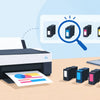
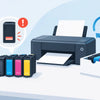
If the printer model is faded, hidden or missing, you still have a few solid options. The simplest is to look at the cartridge already installed in the printer. Most ink cartridges have a cartridge number printed clearly on the label. That number is often easier to match than trying to identify the printer by sight.
You can also check the printer manual, the original box if you still have it, or the printer software on your computer. Many printers will show cartridge information in their maintenance or supply status screen. If your printer has a display panel, it may also show the cartridge series there.
For home users, the installed cartridge is usually the fastest clue. For offices with several similar printers, checking the full printer model is safer, especially if cartridges have been moved around or packaging has been mixed up in the stationery cupboard.
Common places to find the model number
The most common spots are the front panel, inside the access door, on a sticker at the rear, or in the settings menu on the printer display. On wireless printers, you can often see the exact model in your computer's printer settings as well.
If you are checking from a mobile while standing next to the printer, take a quick photo of the label. That saves you from rechecking the same number later and reduces the chance of mixing up similar model names.
Ink or toner - know which one your printer takes
One reason this question causes so much confusion is that not every printer uses ink. Some use toner instead. If you have a laser printer, you need toner cartridges, not ink cartridges.
As a simple rule, inkjet printers use liquid ink and are common in homes, schools and small offices where colour printing and photos matter. Laser printers use toner powder and are often chosen for sharper text, faster output and lower cost per page in busy offices.
If your printer is a compact home all-in-one with photo printing features, it is probably an inkjet. If it is a larger office machine built for high-volume document printing, it may be a laser printer. Still, it is best not to rely on appearances alone. The model number will tell you exactly what consumable you need.
Why cartridge names can be confusing
Printer brands love cartridge numbers, series names and regional packaging, and that can make a simple replacement feel harder than it should be. You might see a cartridge referred to by a number, a colour code, a standard-yield version and a high-yield version all at once.
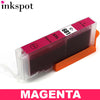
For example, one printer might use black and tri-colour cartridges, while another uses separate black, cyan, magenta and yellow cartridges. Some printers use photo black as well. Others use tanks or bottles instead of traditional cartridges. So when someone says they need Canon ink or Epson ink, that still does not narrow it down enough.
This is also where people can get caught by marketing terms like standard, XL, high yield or multipack. These options usually fit the same printer, but they differ in how much ink you get and how often you will need to replace them.
Standard vs high-yield cartridges
A standard cartridge usually costs less upfront, which suits occasional printing. A high-yield cartridge costs more to buy but often works out cheaper per page. If you print school assignments, shipping labels, invoices or reports every week, the higher-yield option can save money over time.
That does not mean the biggest cartridge is always the best buy. If you print rarely, ink can dry out or go unused before you get full value from it. The right choice depends on your printing habits, not just the shelf price.
Genuine or compatible ink?
Once you know what ink your printer uses, the next question is usually whether to buy genuine cartridges or compatible alternatives. Both can have a place, and the better choice depends on what you print and what matters most to you.
Genuine cartridges are made by the printer brand itself. They are designed specifically for that machine and can give peace of mind, especially for warranty-sensitive setups, colour-critical work or users who simply want to stick with the original manufacturer option.
Compatible cartridges are made by a third party to work in the same printer. A good compatible cartridge can offer strong value, especially for everyday printing where cost matters. For many households and small businesses, this is where the biggest savings happen.
The trade-off is that not all compatibles are equal. Quality and chip reliability can vary depending on the supplier. Buying from a trusted Australian retailer with clear compatibility information and support makes a big difference.
The most common mistakes people make
The biggest mistake is ordering by printer brand only. The second is assuming the old cartridge number was correct without double-checking the printer model. This can happen more often than people think, especially in shared offices or homes where someone grabbed a cartridge that looked about right.
Another common mistake is confusing similar model names. A single extra letter at the end of a printer model can change the cartridge type completely. People also mix up ink and toner, or buy the cheapest cartridge they can find without checking whether it is suitable for their exact printer.
There is also the issue of region and packaging. Sometimes a cartridge can look slightly different from the one you bought before, but still be the correct product. What matters is the compatibility listing, not just whether the box design matches your memory.
How to make sure you order the right cartridge
If you want the safest path, use the printer model as your starting point and match cartridges from there. That is far more reliable than searching by brand or colour alone. Keep the old cartridge packaging if you have it, and compare both the cartridge number and the printer model before buying.
If you print regularly, it also helps to save your cartridge number somewhere obvious. A note on your mobile, a label on the printer, or a record in your office supply list can save time next round. It sounds basic, but it stops the same last-minute scramble every few months.
For buyers who want less guesswork, a printer-model-based search tool is usually the quickest way to confirm compatible options, including whether your printer takes genuine or lower-cost aftermarket cartridges.
What ink does my printer use if it is an older model?
Older printers can be a little trickier, but not impossible. In many cases, cartridges are still available even after the printer has been discontinued. The main thing is to search by the exact model, because older series often had many close variations.
If your current cartridge is no longer readable, check the printer label or the software installed on your computer. If the printer still works, its model information is usually accessible somewhere. And if support is available, providing the exact model number will get you a much faster answer than describing the printer by colour, size or age.
Getting the right cartridge should not feel like a puzzle. Once you know your exact printer model and whether it uses ink or toner, the rest becomes much simpler. A quick check now can save you the cost and hassle of ordering the wrong consumable later - and that is always better than finding out when the printer lid is already open.