
 Ink Brands
Office Printing That Cuts Costs, Not Quality
A printer rarely causes trouble at a convenient time. It is usually when invoices need to go out, a client meeting is about to start, or the last staff member in the office discovers the black toner is empty. Good office printing is less about owning the most expensive machine and more about having sensible settings, the right supplies and a simple plan for replenishment.
For small and medium Australian businesses, those details can make a noticeable difference to monthly costs. They also reduce wasted paper, last-minute supply runs and the frustration of ordering a cartridge that does not fit the printer.
Office printing costs more than the cartridge price
The cost of printing is often judged by one number: the price on a box of ink or toner. That matters, but it is only part of the picture. A cheap cartridge is not a saving if it is incompatible, produces poor documents or runs out quickly. Equally, paying the highest possible price for every genuine cartridge may not suit a business printing everyday internal paperwork.
Your actual cost is shaped by how often people print, what they print, which settings are used, how much paper is wasted and whether the printer is matched to the workload. A compact inkjet can be ideal for a low-volume office that needs occasional colour documents. A busy team printing contracts, reports and shipping labels every day will usually benefit from a laser printer and high-yield toner.
Start by looking at the documents your team produces most often. If 90 per cent are black-and-white drafts, there is little reason to print them in colour by default. If branded proposals are central to winning work, colour quality may be worth prioritising for those jobs. The best approach depends on the work, not a one-size-fits-all rule.
Set office printing rules people will actually follow
A long printing policy that nobody reads will not change habits. A few clear defaults will. The aim is not to make staff jump through hoops for every page. It is to make the lower-cost choice the easiest choice for routine work.
Make draft settings the default
Set the printer driver to black and white, double-sided printing and normal or draft quality where appropriate. Staff can still select colour or higher quality when a document is client-facing, but routine emails, meeting notes and internal reports will use less ink and paper automatically.
Double-sided printing is particularly useful for offices that regularly print lengthy documents. It reduces paper use and storage clutter, although it may not be suitable for forms that need writing on, legal documents requiring single-sided copies, or materials that will be scanned later.
Keep colour printing purposeful
Colour is valuable when it helps someone understand a chart, follow a safety instruction or recognise your brand. It is less valuable when it appears only because a web page, email signature or spreadsheet has been printed without checking the preview.
Ask staff to use print preview before sending a job. This small habit catches blank pages, unnecessary images and pages that have been cut off at the margins. It also helps avoid printing a 40-page attachment when only two pages are needed.
Give one person responsibility for supplies
An office manager, administrator or business owner should know the printer models in use and keep an eye on cartridge levels. That does not mean they need to police every print job. It simply prevents five people from ordering different supplies, or nobody ordering until the printer stops.
Keep a short record of each printer's make, model and cartridge code near the machine or in a shared file. Printer names can be confusingly similar, so checking the full model number is the safest way to order compatible supplies.
Choose the right cartridge for the job
Businesses generally have two cartridge options: genuine cartridges made by the printer manufacturer, and compatible cartridges made by a third party for specific printer models. Neither is automatically the right answer in every situation.
Genuine ink and toner can be a sensible choice where manufacturer-branded supplies are required by an equipment agreement, where colour consistency is especially critical, or where a business prefers to use original products throughout. They are also familiar to many buyers, which can make purchasing straightforward.
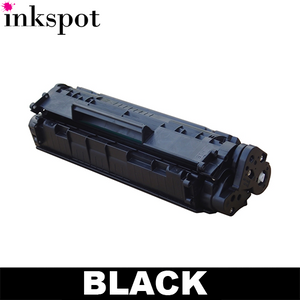
Compatible cartridges are often a practical way to lower ongoing office printing costs, particularly for standard documents, invoices, training materials and internal reports. Quality compatible products are designed to fit nominated printers and provide reliable everyday output at a lower price point. The key is buying from a supplier that clearly lists printer compatibility and stands behind the product.
High-yield cartridges deserve consideration too. They cost more upfront but contain more ink or toner and can reduce the cost per page. For a printer that is used constantly, fewer cartridge changes also mean less interruption. For a lightly used printer, a standard-yield option may be better value, especially if supplies could sit unused for a long time.
Before ordering, confirm whether your printer accepts standard, XL or high-yield cartridges. Do not assume a cartridge fits just because it is the same brand. The cartridge code and printer model need to match.
Avoid the false savings that create waste
There is a difference between reducing printing costs and simply buying the lowest-priced item available. The latter can lead to poor print quality, short page yields, delivery delays or unsupported products that leave you back at square one.
Be wary of old stock from unknown sources, especially if packaging is damaged or the listing does not clearly name compatible printer models. Ink and toner are not products you want to guess at. A wrong cartridge can turn a small saving into a return, a delayed job and a frustrated team.
It is also worth avoiding the habit of replacing cartridges too early. A low-ink message is a prompt to prepare, not always a sign that printing must stop immediately. Toner cartridges can sometimes produce more pages after a gentle, careful shake, though this is a temporary measure rather than a replacement strategy. Never force a cartridge or continue using it if it is leaking or damaged.
Manage paper and printer care as part of the same plan
Paper quality affects printing results more than many offices expect. Thin, dusty or damp paper can cause jams, uneven output and extra wear on the printer. Store paper in a dry place, keep opened reams protected, and use paper suited to the job. Everyday copy paper is fine for internal documents, while presentations and brochures may need a heavier stock designed for colour printing.
Printer maintenance is equally practical. Replace consumables when needed, clean obvious paper dust from trays, and use the printer's maintenance functions if print quality drops. For inkjet printers used infrequently, printing a small page every so often can help keep ink flowing through the printhead.
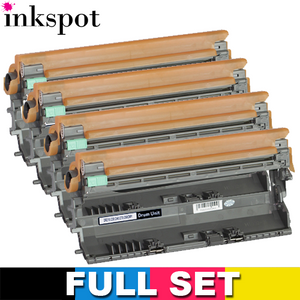
If a printer repeatedly jams, prints streaks or produces faded pages despite a new cartridge, the issue may be the machine rather than the consumable. Replacing cartridge after cartridge will not solve a worn roller or failing drum unit.
Build a replenishment routine that prevents panic buying
The easiest way to control office printing costs is to order before supplies become urgent. Set a reorder point for each essential cartridge, such as when the spare is opened or when the installed cartridge reaches a low-level warning. Keep one spare for your most-used printer rather than a cupboard full of cartridges for every device.
A simple monthly check is enough for many small offices. Review what has been used, whether print volume has changed and whether a high-yield cartridge would now make more sense. If staff have shifted to hybrid work, you may find one office printer is barely used while another is carrying most of the load.
Buying from a specialist supplier also makes the process easier when you need help confirming compatibility. Inkspot offers genuine and compatible options across a wide range of printer brands, so businesses can choose based on their printing needs and budget rather than settling for whatever is available locally at short notice. Free delivery on eligible orders and a 30-day money-back guarantee can also take some risk out of keeping supplies on hand.
The goal is not to print as little as possible. It is to make every printed page purposeful, readable and cost-effective. With the right defaults, compatible supplies and a reliable reorder habit, your office printer can stay a useful business tool rather than an expensive interruption.