Ink Brands
 Best Toner for High Volume Printing in Australia
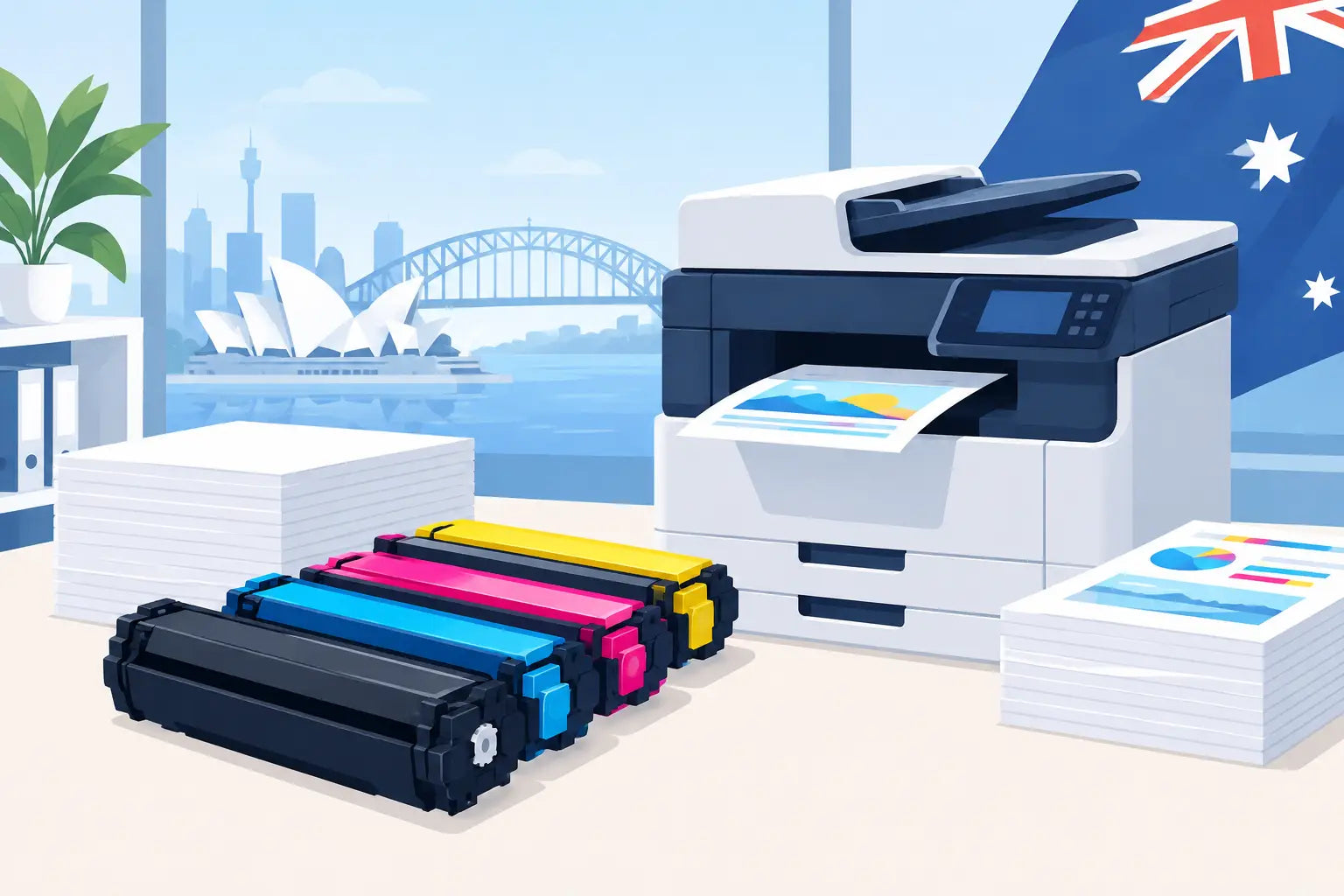
A cheap cartridge that runs out halfway through a busy week is not a bargain. When your office prints invoices, school materials, reports or shipping labels every day, finding the best toner for high volume means looking beyond the sticker price. The right choice delivers a dependable page yield, consistent print quality and a lower cost for every page that leaves the printer.
For most Australian small businesses and busy home offices, the best result comes from matching a high-yield toner cartridge to a printer built for the workload. Whether you choose a genuine cartridge or a quality compatible alternative then depends on your budget, printing needs and preference.
What makes toner suitable for high-volume printing?
High-volume printing is less about one fixed monthly number and more about whether your printer and consumables can comfortably handle your regular output. A business printing 1,500 black-and-white pages per month has very different needs from a household printing a few forms each week, even if both use laser printers.
The key measurement is page yield. This is the estimated number of pages a cartridge can print under standard test conditions, usually using pages with around 5% coverage. A document with a logo, dense text, large tables or graphics uses more toner, so your real-world yield may be lower. Treat page yield as a fair comparison tool, not a promise that every cartridge will produce the exact same number of sheets.
For regular printing, high-yield and extra-high-yield cartridges are often the sensible place to start. They contain more toner than standard cartridges and usually cost less per page. They also reduce the interruption of changing cartridges, which matters when the printer is shared by staff or used for time-sensitive jobs.
Best toner for high volume: start with the printer
Even the best high-yield toner cartridge cannot turn a light-duty printer into an office workhorse. Before stocking up, check your printer's recommended monthly page volume and its maximum duty cycle. The duty cycle is the maximum number of pages the machine may be capable of producing in a month. The recommended volume is the more useful figure because it reflects the workload the printer is designed to sustain over time.
If your printer is regularly close to, or above, that recommended figure, it may be worth considering a higher-capacity laser printer rather than simply buying more cartridges. Signs that a printer is under strain include frequent paper jams, slow printing after long jobs, overheating or ongoing maintenance messages.
For a well-matched laser printer, look for cartridges labelled high yield, XL, high capacity or extra high yield. Naming varies by manufacturer, but the purpose is the same: more printed pages between replacements. Always check compatibility against the exact printer model, rather than relying on the cartridge's appearance or a similar printer name. Small model differences can use entirely different toner series.
Compare cost per page, not just cartridge price
A standard toner cartridge can look like the cheaper option until you calculate how often it needs replacing. Cost per page gives a clearer view of what you will spend over time.
The calculation is straightforward: divide the cartridge price by its stated page yield. For example, a $90 cartridge rated for 3,000 pages has an estimated toner cost of 3 cents per page. A $55 cartridge rated for 1,000 pages costs around 5.5 cents per page. The higher-priced cartridge costs more upfront but is cheaper each time you print.
This is particularly useful when comparing standard and high-yield versions of the same cartridge. In many cases, the high-yield option gives better value and reduces the number of orders, deliveries and cartridge changes needed across the year. The trade-off is upfront cost. If cash flow is tight or your print volume varies heavily from month to month, a standard cartridge may still make sense.
Remember to compare like with like. A black toner cartridge should be assessed against another black cartridge with a similar yield. Colour laser printers use separate cyan, magenta, yellow and black toners, and colour pages can use several cartridges at once. If most of your work is text documents, a mono laser printer will generally have simpler, lower consumable costs than a colour machine.
Genuine or compatible toner for a busy printer?
Genuine toner is made by the printer manufacturer for its own machines. It is a straightforward option for organisations that need to follow procurement rules, have manufacturer-specific requirements or simply prefer original-brand supplies.
Compatible toner is made by a third party for use in a specific printer range. A good compatible cartridge can be a practical way to reduce printing costs, especially where printing is frequent and mostly consists of everyday black text documents. The savings can add up quickly when you are buying several cartridges a year.
The choice is not one-size-fits-all. For high-stakes client materials, specialised colour work or a printer covered by a strict service arrangement, genuine toner may be the preferred choice. For invoices, internal paperwork, training handouts and routine office printing, compatible toner can offer excellent value when purchased from a supplier that clearly states compatibility and stands behind its products.
Avoid choosing solely on the lowest advertised price. Very cheap cartridges with unclear specifications, no stated page yield or no local support can create more hassle than savings. A supplier should make it easy to confirm your printer model and provide help if the cartridge is not right.
Consider the full consumable system
Some laser printers use an all-in-one cartridge that combines toner, drum and other components. Others use separate toner cartridges and drum units. Neither system is automatically better, but they affect what you replace and when.
A separate drum system can be economical for high-volume users because the drum lasts through several toner replacements. However, it does require you to monitor another consumable. If prints become faded, streaky or show repeating marks while toner is still available, the drum or another maintenance part may need attention rather than the toner cartridge.
Certain business printers also use fuser units, transfer belts or waste toner containers. These components last much longer than a cartridge, but they are part of the real cost of owning a high-volume printer. Checking the printer manual or display alerts helps prevent an unexpected stoppage in the middle of a large job.
Make every toner cartridge last longer
You do not need to compromise readability to cut toner use. Start by reviewing default print settings across the office. Draft or toner-save mode can be useful for internal documents, while duplex printing reduces paper use and filing bulk. Print preview is also worth using, particularly for web pages and spreadsheets where one extra blank or nearly blank page can slip through.
For documents that do not require colour, set black-and-white printing as the default. This prevents a coloured logo, hyperlink or tiny graphic from triggering use of colour toners unnecessarily. It is also sensible to print only the pages you need rather than automatically sending an entire document to the tray.
Store spare toner in a cool, dry place away from direct sunlight. Keep cartridges sealed in their packaging until needed, and avoid shaking or opening them well before installation. When a printer reports low toner, it often still has usable toner remaining. Have a replacement ready, but do not change it until print quality declines or the printer stops printing according to its normal behaviour.
Keep a simple reorder plan
Running out of toner is most frustrating when a deadline is close. High-volume users should keep at least one suitable replacement cartridge on hand, especially for the black toner that does most of the work. Businesses with several printers can make ordering easier by recording each printer model, its cartridge code, its usual monthly volume and the date the last cartridge was fitted.
This small record helps you spot changes in usage and order before supplies become urgent. It also reduces the risk of buying the wrong cartridge for a similar-looking printer. Inkspot's printer-model search can help Australian customers confirm compatible cartridge options before ordering.
The best choice is the toner that fits your exact printer, meets your typical workload and gives you a cost per page you are comfortable with. Once those three things line up, high-volume printing becomes far easier to budget for and far less likely to interrupt the working day.