
 Ink Brands
Printer Ink Shelf Life Guide for Australian Buyers
A spare cartridge can feel like a smart buy until you find it at the back of a cupboard two years later. This printer ink shelf life guide explains what usually lasts, what can go wrong, and how to store cartridges so they are ready when your printer needs them.
The short answer is that unopened printer ink cartridges commonly remain usable for around 18 to 24 months from manufacture, but the date printed on the packaging is the one that matters. Toner cartridges often have a longer shelf life, commonly two to three years or more when stored correctly. These are general guides, not guarantees, because formulation, packaging and storage conditions vary between brands and cartridge types.
Printer ink shelf life guide: start with the date on the box
Most genuine ink cartridges have a use-by, expiry or installation date on the outer packaging. This date is the manufacturer’s best indication of when the cartridge should deliver its intended print quality and reliability. If you are buying cartridges ahead of time, check that date before putting them away.
A cartridge that has just passed its date will not automatically fail. It may still print perfectly well, particularly if it has remained sealed in a cool, dry place. The trade-off is that the chances of faded colours, poor ink flow or clogged printhead nozzles gradually increase as ink ages. For important documents, photographs or business materials, a cartridge within its recommended date gives you more confidence.
Compatible cartridges should also have clear packaging and date information where applicable. A well-made compatible cartridge can be an excellent value option, but it still needs proper storage. Buying from a specialist supplier rather than leaving cartridges in a hot garage or car boot is a practical way to avoid unnecessary problems.
Unopened and installed cartridges are not the same
The seal around an unopened cartridge does a lot of work. It protects the ink from air exposure and helps prevent moisture loss. Leave the cartridge sealed in its original box until you actually need it.
Once installed, the clock changes. Ink can slowly dry at the nozzle, especially if the printer sits unused for months. This is more common with inkjet printers than laser printers, as liquid ink is exposed to air at the printhead. Some printers use a cartridge with an integrated printhead, while others have a separate permanent printhead. In either case, infrequent use can lead to blocked nozzles and patchy printing.
As a simple habit, print a small colour page or nozzle-check pattern every few weeks if you do not print often. This keeps ink moving through the system and can prevent a minor issue from becoming a cleaning-cycle marathon. Avoid running repeated cleaning cycles unless your printer recommends them, as they use ink quickly.
What shortens printer ink shelf life?
Heat is the biggest enemy. Australian summers can be tough on cartridges left in sheds, garages, roof spaces or near sunny windows. High temperatures can alter ink properties, speed up evaporation and affect the cartridge’s internal sponge or ink bag.
Very cold conditions are not ideal either. Freezing may separate or damage some ink formulations. A normal indoor cupboard is usually the best option: dry, shaded and away from direct heat sources such as heaters, appliances or a warm office server cupboard.
Air exposure is another issue. Do not remove protective clips, foil seals or plastic wraps before installation. It is also best not to open a cartridge just to check its appearance. If the seal is intact, leave it that way.
Poor handling can cause problems too. Do not touch the copper contacts, ink nozzles or printhead area. Skin oils and dust can interfere with electrical contact or ink delivery. If you need to handle an opened cartridge briefly, hold it by the plastic sides and install it promptly.
How to store spare ink cartridges properly
You do not need special equipment to store printer ink well. A clean cupboard in your home or office is generally enough. Keep the cartridge in its unopened original packaging, stored flat where possible and away from sunlight.
There is no need to refrigerate printer ink. Refrigerators can introduce moisture and temperature fluctuations, while freezers can damage the ink. Room temperature is the practical choice. If your office is often very warm, choose the coolest stable cupboard available rather than a window ledge, storeroom wall that gets afternoon sun or a locked vehicle.
Keep cartridges away from dust, food storage areas and places where they could be crushed. If you stock several cartridges for a busy printer, write the purchase date on the outside of the box and use the oldest suitable cartridge first. This simple first-in, first-out approach helps reduce waste without making stock management complicated.
Store toner differently, but still store it carefully
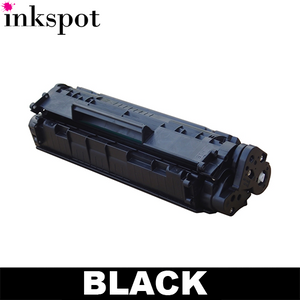
Toner is a dry powder rather than a liquid, so it does not dry out like inkjet ink. That gives it a longer potential shelf life. It can still be affected by heat, humidity, direct sunlight and damaged packaging.
Keep toner cartridges sealed in their box until required. Store them level, not standing on one end for a long period, and avoid shaking them unnecessarily. If a toner cartridge has been stored for a while, follow the manufacturer’s instructions before fitting it. Some cartridges benefit from a gentle side-to-side motion to distribute toner, but vigorous shaking can create a mess and is rarely helpful.
Can you use expired printer ink?
Often, yes, but the right answer depends on the job. An expired but sealed cartridge that has been stored well may be fine for everyday drafts, school worksheets or internal office documents. Check the print quality before relying on it for an important client proposal, legal paperwork, photographs or a large print run.
After installing an older cartridge, print a nozzle check or test page. Look for missing lines, streaks, unexpected colours or weak black text. Run one standard cleaning cycle if needed, then test again. If quality does not improve after the printer’s recommended troubleshooting steps, replacing the cartridge is usually more cost-effective than using large amounts of ink on repeated cleaning cycles.
Do not keep printing with obvious streaking or missing colours if the document matters. A poor print can be more costly than the cartridge, particularly when you are preparing materials for customers, meetings or school submission deadlines.
Signs a cartridge may be past its best
Age alone is not always the problem, but these signs can point to an old, dried or damaged cartridge:
- Repeated streaks, gaps or banding after a normal cleaning cycle.
- Colours that look noticeably wrong, dull or uneven.
- A cartridge error despite correctly fitted contacts and compatible model details.
- Leaks, swelling, cracked casing or damaged seals.
Buying ahead without overbuying
Keeping one spare cartridge for a home office or small business makes sense. It avoids the frustration of discovering an empty cartridge just before a deadline. Stocking a large pile of ink “just in case” is less useful if your printing needs are low or unpredictable.
Consider how quickly you normally print. A busy office using the same black and colour cartridges each month can safely plan ahead, provided stock is rotated. A household printer used only for occasional forms and school tasks may be better off keeping one spare black cartridge or a practical multipack, rather than several years’ worth of supplies.
If your printer is older, avoid buying too far ahead unless you know you will keep using it. Printers can be replaced, and a bargain cartridge is not a bargain if it no longer fits the next machine. Inkspot makes it easier to shop by printer model, helping you select the right cartridge without guessing.
The best storage plan is simple: buy sensibly, keep cartridges sealed and cool, and use your oldest stock first. That gives you the convenience of a spare on hand while helping every page come out as it should.