
 Ink Brands
Toner Cartridge vs Drum: What Needs Replacing?
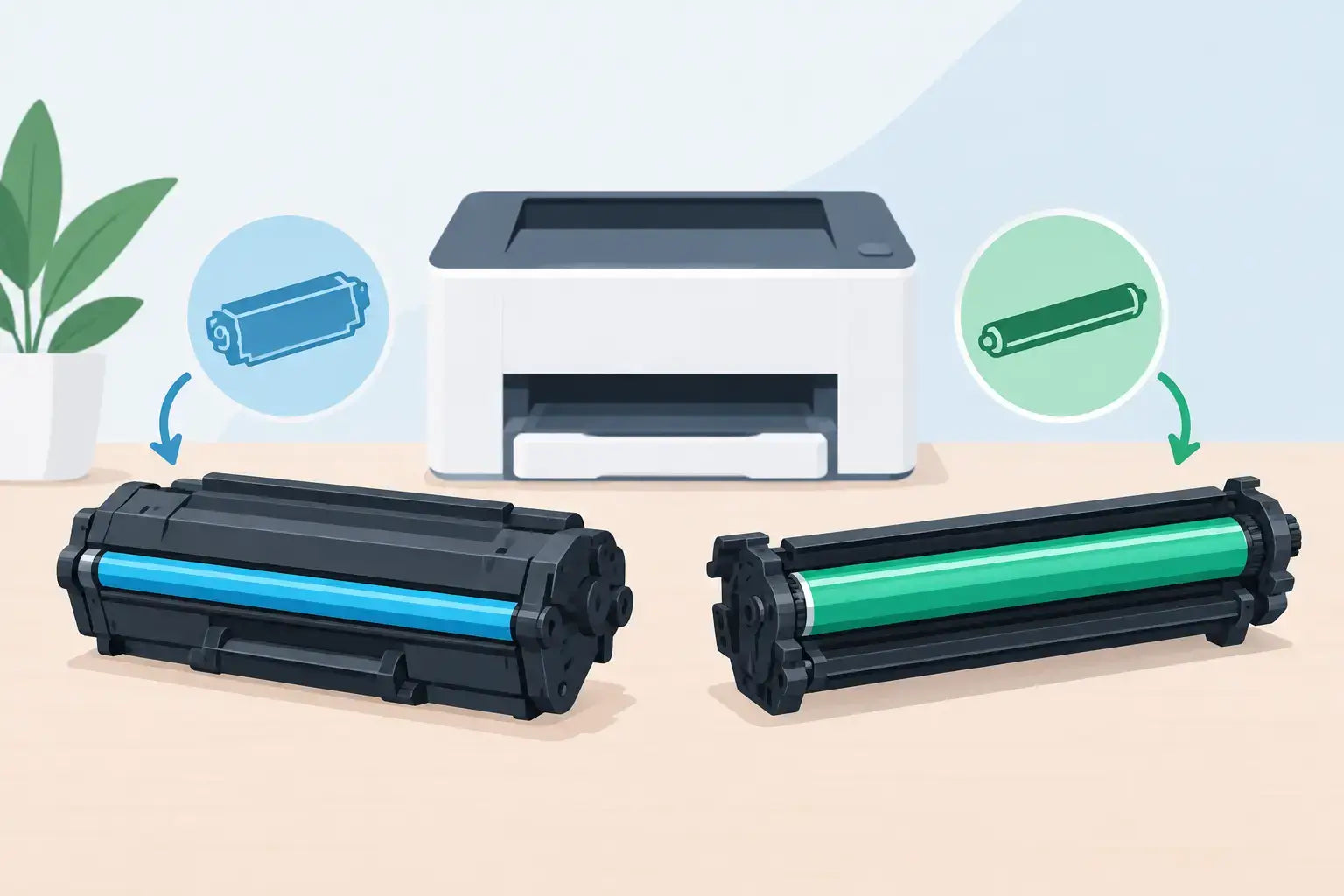
A laser printer flashing “replace drum” when you have just fitted a new toner can feel like a costly mistake. Usually, it is not. The toner cartridge vs drum question comes down to two separate parts with different jobs, different lifespans and, in some printers, different replacement schedules.
Knowing which part your printer needs helps you avoid ordering the wrong consumable, wasting a usable cartridge or putting up with poor print quality for longer than necessary. It is particularly useful for busy home offices and small businesses where the printer needs to work when an invoice, school assignment or shipping label cannot wait.
Toner cartridge vs drum: the quick difference
A toner cartridge holds the powder that creates text and images on the page. When toner is low or empty, printed pages may become faint, patchy or show a low-toner message.
A drum unit, also called an imaging drum or drum cartridge, is the light-sensitive component that transfers toner onto paper. It does not supply toner itself. Instead, it uses an electrical charge and heat to help form the printed image.
Think of toner as the material your printer uses up regularly, while the drum is a working component that gradually wears over a much larger number of pages. Toner cartridges may last from a few hundred to several thousand pages, depending on the cartridge and how much you print. A separate drum unit can often last for 10,000 pages or more.
The detail that causes most confusion is that not every laser printer uses separate toner and drum units. Many HP, Canon and Samsung models have the drum built into the toner cartridge. When you replace the cartridge, you also replace the drum. Many Brother laser printers use separate units, meaning a new toner cartridge does not automatically include a new drum.
What the toner cartridge does
Toner is a very fine powder, usually made from plastic particles, pigment and other compounds. In a monochrome laser printer, it is black. Colour laser printers use four toner colours: black, cyan, magenta and yellow.
During printing, your printer draws toner onto the drum in the pattern of the page. The toner is then transferred to paper and fused in place with heat. This is why freshly printed laser pages are dry straight away, unlike some inkjet prints that can need a moment to dry.
A toner cartridge is the item you will replace most often. Your printer may warn you that toner is low well before it is completely empty. If output still looks clear, you can often keep printing until the quality drops or the printer stops. Gently rocking a low toner cartridge from side to side can sometimes redistribute the remaining powder for a few more pages. Do this carefully and avoid opening the cartridge.
What the drum unit does
The drum has a coating that responds to light and electrical charges. It is central to the laser-printing process, but it is not designed to last forever. Over time, the coating wears down through normal use.
When a drum begins to fail, you may see repeated marks down the page, vertical lines, grey background shading, faded areas or a pattern that appears at regular intervals. These signs can also be caused by toner, paper or internal printer issues, so a drum warning on the printer display is a helpful clue.
Do not touch the surface of an exposed drum. Fingerprints, scratches and bright light can damage it or affect print quality. If you need to inspect or replace a drum unit, handle it by the ends and follow the instructions for your printer model.
Why some printers combine toner and drum
Combined cartridge designs are simple for the user. Fit one new cartridge and you receive fresh toner and a new drum together. There is less to identify and fewer parts to store, which suits occasional printing and households that want a straightforward replacement process.
The trade-off is that you replace the drum even if it still has plenty of life left. This can make each toner replacement cost more, although the convenience may be worth it.
Separate toner and drum systems can offer a lower ongoing cost, especially for offices that print frequently. You replace toner as it runs out and the drum only when it reaches the end of its rated life. The trade-off is that there are two consumables to monitor, and the correct drum needs to be ordered when the printer asks for one.
Neither design is automatically better. The right choice depends on your printer and how much you print. What matters when ordering is knowing whether your model uses a toner cartridge with an integrated drum or a separate drum unit.
How to tell which part needs replacing
Start with the message on your printer screen or in its status app. A “toner low”, “replace toner” or “toner empty” message points to the toner cartridge. A “replace drum”, “drum end soon” or “drum life” message points to the drum unit.
Next, check the printer model rather than relying on the cartridge’s appearance. Cartridge names can be similar, and printers from the same brand may use completely different systems. The printer model is normally printed on the front panel, top cover or a label at the back of the machine.
Print quality provides another useful clue. Light printing that improves after replacing toner is usually a toner issue. Repeating spots, lines or marks that continue after a toner change may indicate the drum. However, check for damaged paper, toner spills or a dirty printer first. A quick clean according to the printer manual can sometimes solve the problem without replacing anything.
If your printer uses a separate drum and the display says the drum has reached its life, replace it even if the pages still look acceptable. The warning is based on expected use, and waiting too long can lead to poorer output or toner-related problems.
Buying the right toner or drum for your printer
When it is time to order, match the consumable to your exact printer model and cartridge code. A toner cartridge and a drum unit for the same printer are not interchangeable, even if they fit into the same compartment.
You can choose genuine OEM consumables made by the printer manufacturer, or compatible alternatives made for the same printer models. Genuine options are a familiar choice for buyers who prefer the manufacturer’s product. Compatible toner and drums can offer meaningful savings, particularly where printing costs add up across several staff members or devices.
For either option, buy from a supplier that clearly states compatible printer models and provides support if you are unsure. Inkspot’s printer-model search makes this easier, particularly when a business has several similar-looking printers on site.
Also consider page yield, not just the upfront price. A high-yield toner cartridge costs more initially but can lower the cost per page and reduce how often you need to reorder. It often makes sense for regular office printing. For occasional home use, a standard-yield cartridge may be the more practical purchase.
A simple way to avoid ordering mistakes
Before adding anything to your cart, check three details: your printer’s full model number, the cartridge code currently installed and the message shown on the printer display. If you are replacing a drum, confirm that the product is labelled as a drum unit, imaging unit or photoconductor, not simply toner.
Keep the box from your current consumable until the new one arrives. It is an easy reference for future orders and can save time when someone else in the office needs to reorder supplies.
A toner cartridge keeps pages coming. A drum keeps those pages sharp and consistent. Once you know which system your printer uses, buying the right replacement becomes a routine job rather than a printer problem at the worst possible moment.